Most tropical presets treat Bali like a single look: warm, saturated, vaguely holiday.
That is why so many Bali files look worse after the grade than before. A setting that helps a rice terrace will often wreck a reef. A coastal blue that cleans Uluwatu will turn Ubud into plastic.
I shoot both. Drone and stills. Interior Bali and the south coast. After enough files, the pattern is obvious. The island gives you two colour jobs, not one.
This is the system I actually use. It is also the reason Moody Greens and Paradise Blues exist as separate packs. I sell them. That is the commercial relationship. The method still holds if you never buy either one.
Bali light is not Instagram light
The photos that travel well from Bali are usually two kinds of scene.
One is green and heavy: rice terraces, rainforest, villa gardens, mountain roads, late-day foliage. The light is filtered. Humidity sits in the shadows. Greens go olive, then muddy, then neon if you panic and crank saturation.
The other is water and sky: south-coast breaks, Penida cliffs, reef shallows, open drone passes over pale water. The problem is almost never "not blue enough." It is a green cast, flat midtones, and highlights that have already given up.
If you treat those as the same grade, you will keep splitting the difference and liking neither.
Decide the dominant colour before you touch a slider
I look at the frame, not the location name.
If the photo is mostly foliage, terrace, forest, or warm villa stone, it is a green job. If it is mostly water, surf, reef, beach, or open sky over the coast, it is a blue job.
A villa with a pool can go either way. Pick whichever colour occupies more of the frame, then handle the minority colour locally.
Do the boring work first:
- Correct exposure. Recover the highlights. Open the shadows enough to see what is actually in the file.
- Set white balance for the scene. Tropical shade, midday sun, and golden hour are three different temperatures.
- Then choose a starting grade by dominant colour.
- Fine-tune the file in front of you. Exposure, white balance, highlights, skin, local masks. A preset is a start, not a finish.
That order matters more than the pack. I put it on the presets page because I keep seeing people judge a grade on a file that is still a stop too bright.
When the file is green: Moody Greens
Jungle files die in two directions. They go brown and lifeless, or they go electric.
What I want is depth. Darker greens that still hold texture. Contrast that feels like canopy, not a Clarity slider. Atmosphere without a fake mist overlay.
That is Moody Greens: 10 Lightroom .XMP presets for jungle, rice terraces, villas, and golden-hour greens. $29 USD. I built them from the greenery-heavy work I actually shoot.
Each preset is named after a real place, not a mood word. Sidemen, Ubud, Tabanan, Tegalalang, Batur, Kintamani. The names are a shortcut. Sidemen is the terrace and valley look. Tegalalang is the tighter, more graphic rice-field grade. Ubud is garden and canopy. You still have to match the file, not the caption.
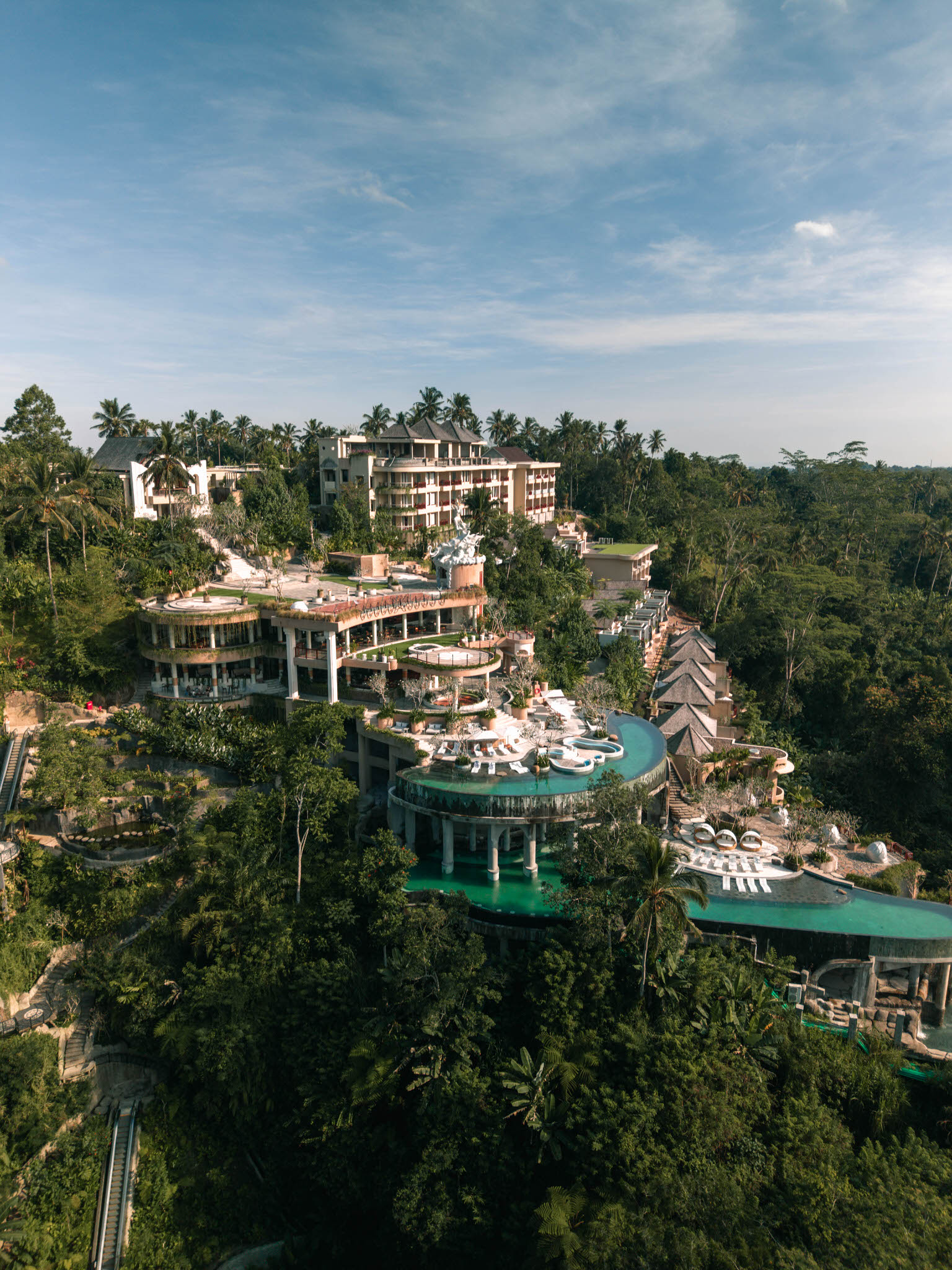
This is the Ubud preset on a real Ubud file: Sanggraloka, built into the hillside. The greens are deep and a bit olive, not neon. The architecture stays readable. That is the point of the pack. Atmosphere, not a fake jungle filter.
I use this pack on drone stills and on mirrorless files. It is not a drone-only look. If the scene is foliage-heavy, the starting point is the same.
The honest limit: it will not rescue a file that is badly overexposed, or a midday canopy shot with no shape in the light. Get the exposure close. Then pick the green nearest to the scene, then nudge.
When the file is water: Paradise Blues
Coastal files have a different failure. The water looks fine in person and slightly sick in the photo. Too green. Too grey. The sky is bright and the ocean has gone dull.
What I want is clean tropical blue without turning the water into a swimming-pool gel.
That is Paradise Blues: 10 Lightroom .XMP presets for coastlines, bright water, and tropical drone shots. $29 USD. I made it for DJI work first, because that is where the green cast shows up fastest. It also works on professional stills and action-camera frames when the scene is water-heavy.
The names are coastal on purpose. Nusa Penida, Uluwatu, Melasti, Nusa Lembongan, Dreamland, Sanur. Penida is the cliff-and-deep-water look. Uluwatu is the south-coast break. Melasti is brighter, more open water. Again: match the water in the file, not the geotag.
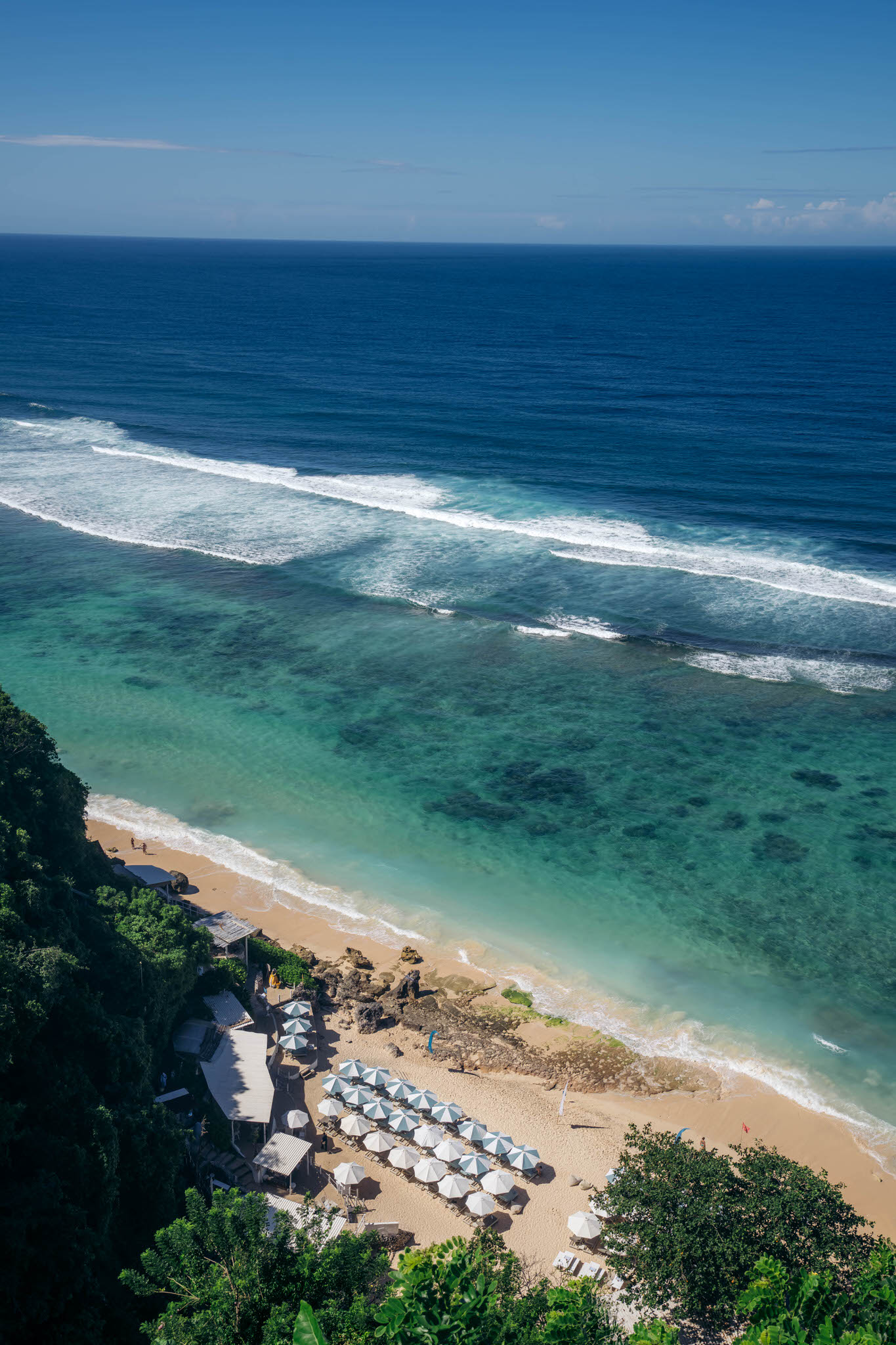
Shot from Grand Cliff Villa at Ungasan, looking down at Melasti Beach, with the Melasti preset. Shallow water stays clear and reefy. The deep water goes blue, not grey-green. The cliff foliage is still foliage, not a second blue grade fighting the ocean.
If the ocean in your photo is close but not quite there, this is the pack. If the photo is a rice field, leave it alone and go back to greens.
Why I will not sell you one Bali look
I could have shipped a single 20-preset "Bali pack" with no split.
I did not, because that is how you get people grading Tegalalang with a coastal blue and wondering why the terraces look cold.
The Bali Preset Bundle is both packs together: 20 XMP presets, $49 USD, $9 less than buying them separately. That is the kit if you actually shoot both, which most people who come here do. One week you are over Sidemen. The next you are over Uluwatu.
If you only shoot jungle, buy Moody Greens. If you only shoot water, buy Paradise Blues. If you do both, the bundle is the sensible purchase. I am not going to pretend otherwise.
What I do after the preset
Import the .XMP files into Lightroom Classic or Lightroom CC. Desktop and mobile both work. The install notes come with the download.
Then:
- Pick the preset closest to the scene, not the most dramatic preview.
- Recheck exposure. A darker grade can hide a clipped sky. A brighter grade can make noise in the shadows look like atmosphere.
- Recheck white balance. Bali shade runs green. Midday coast runs magenta or too warm, depending on the camera.
- If there are people in the frame, fix skin before you call it done. Tropical grades are ruthless on faces.
- Mask the minority colour. A pool in a villa garden, or a palm hanging into a surf frame, should not dictate the whole file.
None of this is a one-click finish. I say that on the product pages because it is true. The STREX look is a starting grade from real Bali files. You still have to edit the photograph in front of you.
The mistakes I see most
Grading a whole mixed day with one preset. Morning terrace, midday coast, late villa garden. Those are three files. They need three decisions.
Matching the location name instead of the light. A cloudy Sidemen terrace is not the same grade as Sidemen in hard sun. Use the name as a hint, then look at the file.
Judging the preset on an uncorrected photo. If the sky is gone and the white balance is wrong, you are not seeing the grade. You are seeing a bad file with a look dropped on top.
Crushing greens until they posterize. Depth is not the same as making every leaf the same dark olive.
Over-cleaning water until it looks like a hotel pool in another country. Bali water has sediment, reef, and weather in it. Leave some of that in.
The commercial part, stated plainly
I sell these packs. Moody Greens is $29. Paradise Blues is $29. The Bali Preset Bundle is $49.
If you want the colour system I use on my own Bali work, that is it.
Get Moody Greens if the file is jungle, terrace, forest, or villa green.
Get Paradise Blues if the file is water, surf, reef, or open coast.
Get the Bali Preset Bundle if you shoot both.
If you only needed the method, you already have it. Grade the dominant colour. Do exposure and white balance first. Do not ask one tropical preset to solve the whole island.